Today, many people ask the same question: “Is this real or AI?”
This confusion happens because artificial intelligence has become very advanced. AI can now write text, create photos, make videos, copy voices, and even chat like a human. Sometimes it is hard to tell the difference between something made by a real person and something made by AI.
Students, teachers, workers, and everyday internet users often feel unsure. A photo may look real but be AI made. A message may sound human but be written by AI. News, social media posts, and videos can also create confusion.
The good news is that you do not need to be a technology expert to understand the difference. This guide explains everything in very simple English.
Quick Answer: Real vs AI
Here is the short and simple answer:
Real
- Made by a human or happens naturally
- Comes from real people, places, or events
- Includes human feelings, experiences, and personal thinking
- Can contain natural mistakes or emotions
AI
- Made by artificial intelligence software
- Created using computer training and data
- Can copy human writing, speech, art, or images
- Often works very fast and automatically
Main Difference
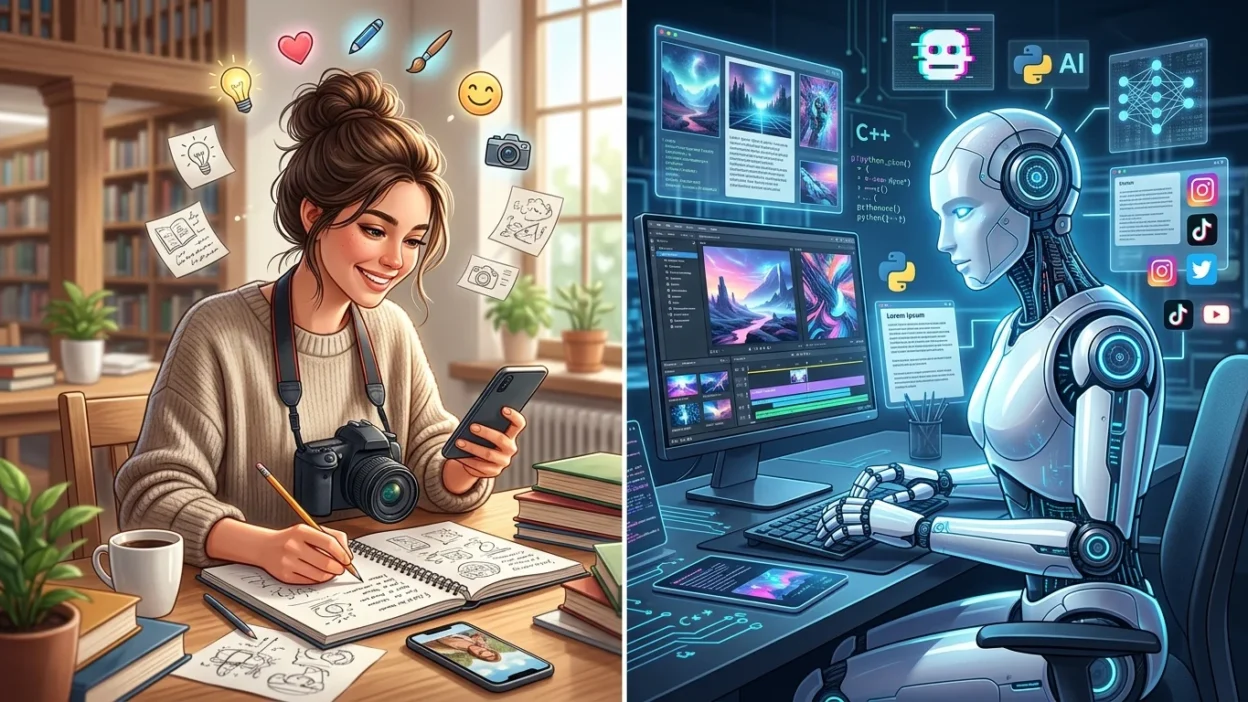
- Real = human created or naturally existing
- AI = machine created using artificial intelligence
What Does “AI” Mean?
AI stands for Artificial Intelligence.
Artificial intelligence is computer technology that learns from large amounts of information. It can study patterns and then create something new based on what it learned.
AI can:
- Write articles
- Answer questions
- Make images
- Create music
- Translate languages
- Copy voices
- Generate videos
AI is designed to act in a smart way, similar to humans.
For example:
- A real artist paints a picture by hand.
- AI image software creates a picture using computer training.
Both may look similar, but the way they are created is different.
Why Do People Get Confused?
People get confused because AI has improved very quickly.
In the past:
- AI text sounded robotic
- AI images looked fake
- AI voices sounded unnatural
Now:
- AI writing sounds human
- AI photos look realistic
- AI voices sound almost real
- AI videos can look believable
Because of this, many people cannot easily tell if something is real or AI generated.
Social media also increases confusion because:
- Content spreads quickly
- Fake images go viral
- AI videos can trick viewers
- People often share information without checking it
Real vs AI: Clear Difference Explained
The biggest difference is who or what creates the content.
Real Content
Real content comes from:
- Human experience
- Real events
- Natural situations
- Personal emotions and opinions
Examples:
- A student writing homework
- A real photo from a phone camera
- A live conversation
- A person singing naturally
Real things often include:
- Small mistakes
- Natural emotions
- Personal style
- Human thinking
AI Content
AI content comes from computer systems trained on data.
Examples:
- AI written articles
- AI generated photos
- AI voice recordings
- AI created videos
AI can:
- Work very fast
- Create large amounts of content
- Copy styles and patterns
- Sound polished and smooth
But AI may also:
- Make false information
- Repeat common ideas
- Miss human emotion
- Create strange errors
Real vs AI Comparison
| Feature | Real | AI |
| Creator | Human or nature | Computer system |
| Emotions | Natural emotions | Simulated emotions |
| Speed | Usually slower | Very fast |
| Mistakes | Human mistakes | Pattern or logic mistakes |
| Creativity | Personal experience | Based on learned data |
| Photos | Taken in real life | Computer generated |
| Writing | Human thoughts | AI generated text |
| Voice | Natural human voice | Copied or generated voice |
| Trust Level | Usually more personal | Must be checked carefully |
How to Tell if Something Is Real or AI
Sometimes it is difficult, but there are signs you can look for.
Signs Something May Be AI
1. Writing Sounds Too Perfect
AI writing can sound:
- Very smooth
- Repetitive
- Emotionless
- Too formal
2. Images Look Strange
AI images may show:
- Extra fingers
- Odd shadows
- Unnatural faces
- Blurry backgrounds
3. Videos Feel Unnatural
AI videos sometimes have:
- Lip movement problems
- Strange blinking
- Robotic facial expressions
4. Information Cannot Be Verified
If news or facts cannot be confirmed, it may be AI generated or fake.
5. Voice Sounds Artificial
AI voices may:
- Lack emotion
- Sound too even
- Pause strangely
Which One Should You Use and When?
Both real and AI content can be useful.
Use Real Content When:
- Sharing personal stories
- Building trust
- Teaching emotions or experiences
- Creating original human art
- Giving personal advice
Use AI When:
- Getting quick ideas
- Learning basic information
- Saving time
- Translating text
- Organizing work
Best Choice
Many people now use both together.
For example:
- A student may use AI to understand a topic.
- Then the student writes the final answer personally.
This balance is often the smartest approach.
Common Mistakes People Make
1. Believing Everything Online
Not all videos, photos, or news are real anymore.
Always:
- Check sources
- Compare information
- Think carefully before sharing
2. Thinking AI Is Always Correct
AI can make mistakes.
Sometimes AI:
- Gives wrong facts
- Creates fake details
- Mixes information together
3. Thinking All AI Is Bad
AI is a tool.
Like any tool:
- It can help people
- It can also be misused
The problem is usually how people use it.
4. Trusting Fake Images Too Quickly
Some AI photos look extremely real.
People often believe:
- Fake celebrity photos
- Fake disaster images
- Fake social media posts
Always check before believing.
5. Copying AI Work Without Understanding
Students sometimes copy AI answers directly.
This can become a problem because:
- They may not learn properly
- Information may be incorrect
- Teachers may notice unnatural writing
Everyday Real Life Examples
Emails
Real Email
- Personal tone
- Natural mistakes
- Human emotions
AI Email
- Very polished
- Structured perfectly
- Sometimes too formal
News
Real News
- Based on real reporting
- Includes interviews and evidence
AI News
- May summarize information quickly
- Sometimes includes incorrect facts
Always double check important news stories.
Social Media
Real Social Media Post
- Personal experience
- Real photos
- Natural comments
AI Social Media Post
- AI generated captions
- Fake images
- Artificial influencers
Some online influencers today are not real humans at all.
School and Homework
Real Student Work
- Personal writing style
- Human thinking
- Original opinions
AI Homework
- Very organized
- Sometimes generic
- May not match the student’s normal style
Teachers often notice sudden changes in writing style.
Learning Section for Students and Beginners
If you are a student or beginner, here are simple tips to stay safe and smart.
Learn to Question Information
Do not believe everything immediately.
Ask:
- Who created this?
- Is it verified?
- Does it seem natural?
Use AI as a Helper, Not a Replacement
AI can help you:
- Understand lessons
- Practice English
- Get ideas
But try to:
- Think for yourself
- Write in your own words
- Learn the topic fully
Improve Observation Skills
Look carefully at:
- Images
- Videos
- Writing style
- Voice quality
Over time, you will become better at spotting AI content.
Practice Critical Thinking
Critical thinking means:
- Checking facts
- Asking questions
- Thinking carefully before trusting something
This skill is very important today.
Frequently Asked Questions (FAQ)
1. Is AI always fake?
No. AI is a real technology. But AI generated content is created by computers, not humans.
2. Can AI look completely real?
Yes. Modern AI can create very realistic text, photos, videos, and voices.
3. Is AI dangerous?
AI itself is not always dangerous. Problems happen when people misuse it for scams, fake news, or cheating.
4. Can teachers detect AI writing?
Sometimes yes. Teachers may notice unusual writing style, repeated patterns, or information that sounds unnatural.
5. Are AI photos real photos?
No. AI photos are computer generated images, even if they look realistic.
6. Can AI replace humans completely?
No. Humans still provide:
- Real emotions
- Personal experience
- Creativity
- Human understanding
AI is a tool, not a complete replacement for people.
7. Should students use AI?
Students can use AI for learning and practice, but they should still think independently and do their own work.
8. How can I avoid being fooled by AI content?
You can:
- Check trusted information
- Compare multiple sources
- Look closely at details
- Avoid sharing content too quickly
Conclusion
The difference between real and AI is becoming harder to see, but the basic idea is simple.
- Real content comes from humans or real life situations.
- AI content is created by computer systems using artificial intelligence.
Both can be useful in different ways. AI can save time and help people learn, while real human content brings emotion, personal experience, and natural understanding.
The most important thing is to think carefully, check information, and stay aware of how AI works.
Once you understand the signs and differences, the confusion between “real or AI” becomes much easier to manage.

Daniel Matthew is a language enthusiast, writer, and contributor at Meanefy.com, where he explores the meanings, origins, and nuances of words and phrases. With a deep passion for language, Daniel aims to make complex concepts simple, engaging, and easy to understand for readers of all ages.